Hold right-click and there it is

WhimPop is a fast, native panel that pops up at your cursor when you hold down the right mouse button. Clipboard history, snippets, favorite apps, folders, files, and a timer, all in one place.

Native macOS · App size around 10 MB · Code-signed and notarized · 30-day free trial · One-time purchase · Apple Silicon with macOS 12 or later

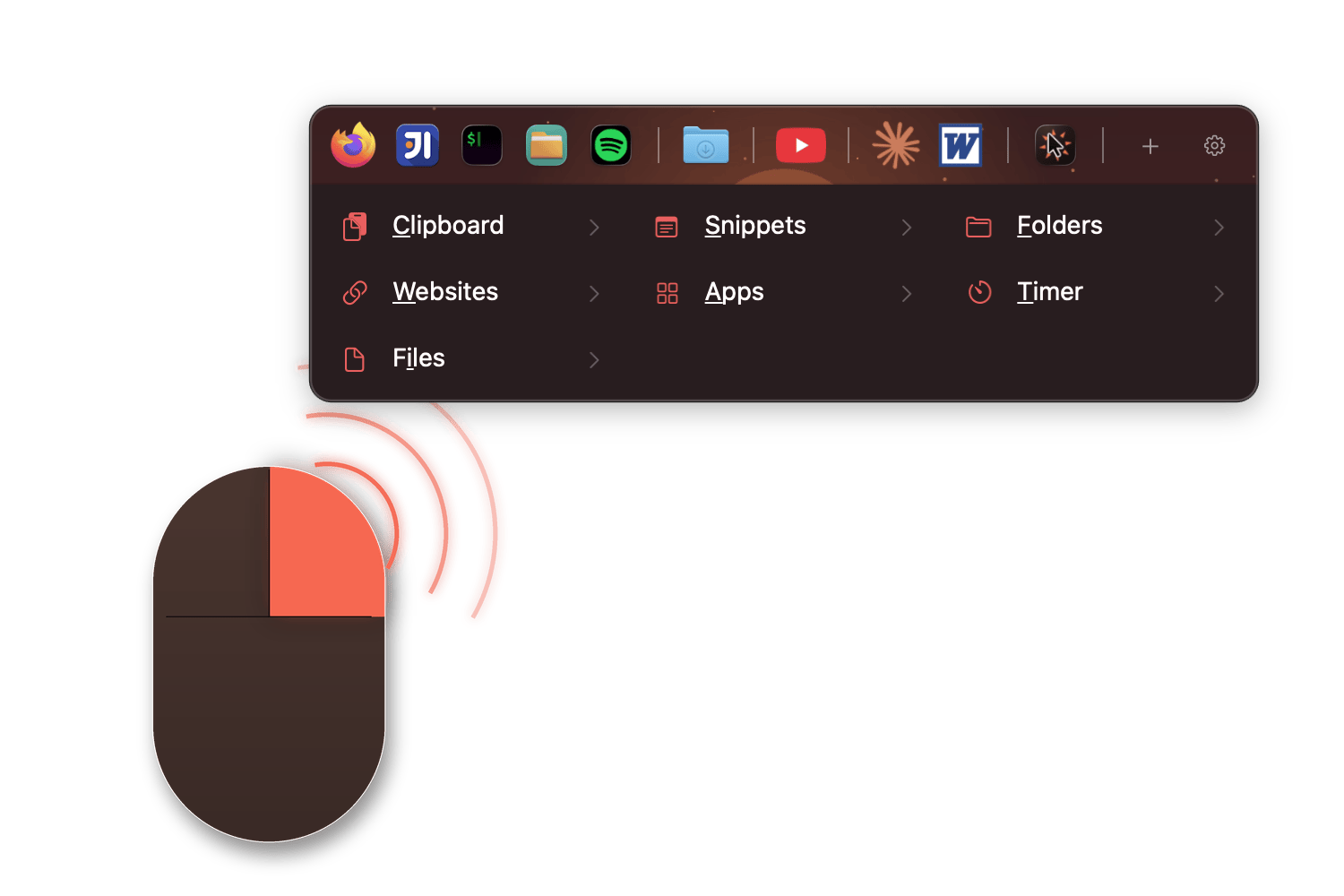
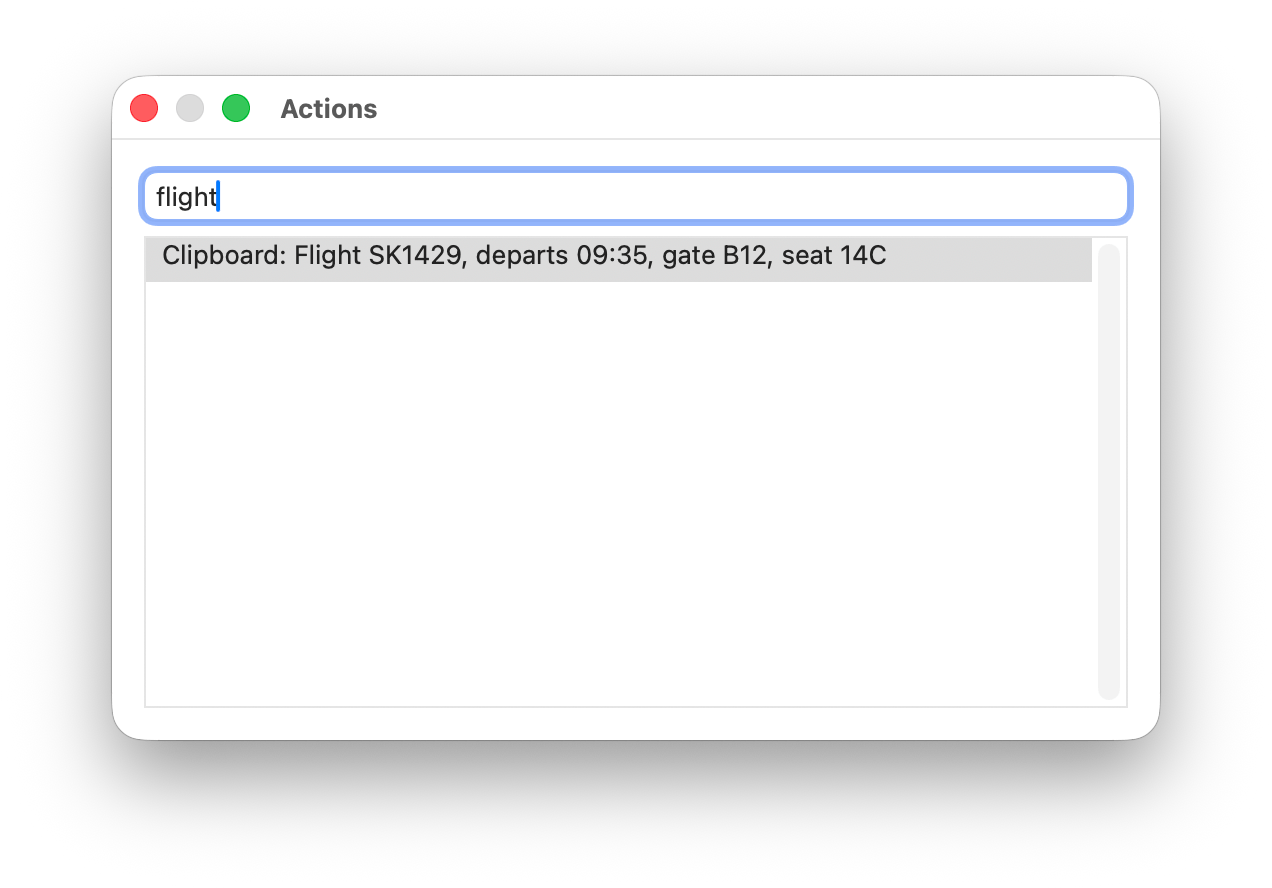
The WhimPop panel: a horizontal favorites rail of app icons on a warm rust gradient, above a dark panel with coral section icons for Clipboard, Snippets, Websites, Folders, and Apps

Explore the features

Appears where you're working

Hold down the right mouse button and the panel opens at your cursor. On a trackpad, press and hold with two fingers.

A short right-click still shows the normal context menu, so nothing about your everyday clicking changes. You can also trigger WhimPop with an extra mouse button or a global keyboard shortcut.


The panel never steals focus. When you paste something, it lands in the app you were just using. And holding the option key (⌥) while clicking an item keeps the panel open for repeated actions.

Illustration: a hand holds down the right mouse button and the WhimPop panel opens at the cursor

Clipboard history that stays on your Mac

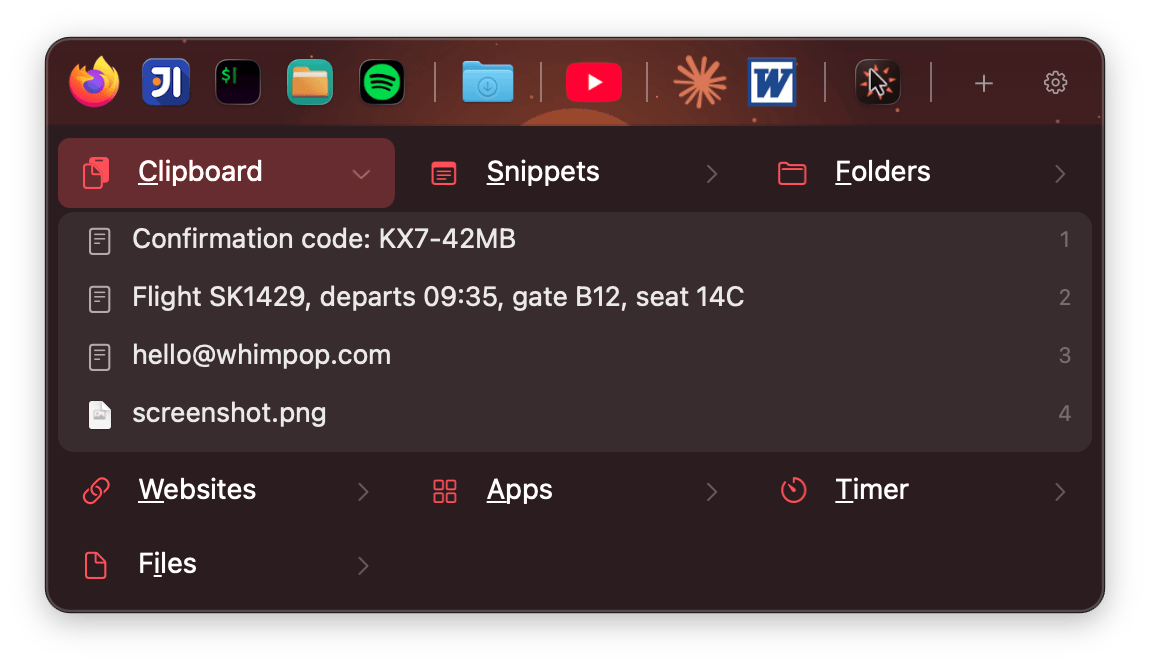
WhimPop keeps a history of what you copy: text, images, and file copies. Content from password managers is skipped, and everything stays on your Mac.


When an entry contains JSON or XML, paste it formatted. Open copied URLs directly, save an entry as a snippet or a website shortcut, and hover an image entry to preview it.

The WhimPop panel with the Clipboard section

Search everything with Actions

Press Space while the panel is open and the Actions dialog appears: one search field over everything WhimPop knows. Type a few letters and fuzzy matching surfaces clipboard entries, snippets, favorites, websites, folders, apps, files, and timer presets.


Pick a clipboard entry or snippet and it pastes directly into the field you came from.

The WhimPop Actions search dialog

Your favorites, one click away

The favorites rail puts apps, folders, and URLs one click away, with their real icons and favicons. Run it vertically or horizontally.


Give the rail a gradient or an image background. There are several bundled artwork themes to pick from.

The WhimPop favorites rail with app, folder, and website icons

A timer in the same panel

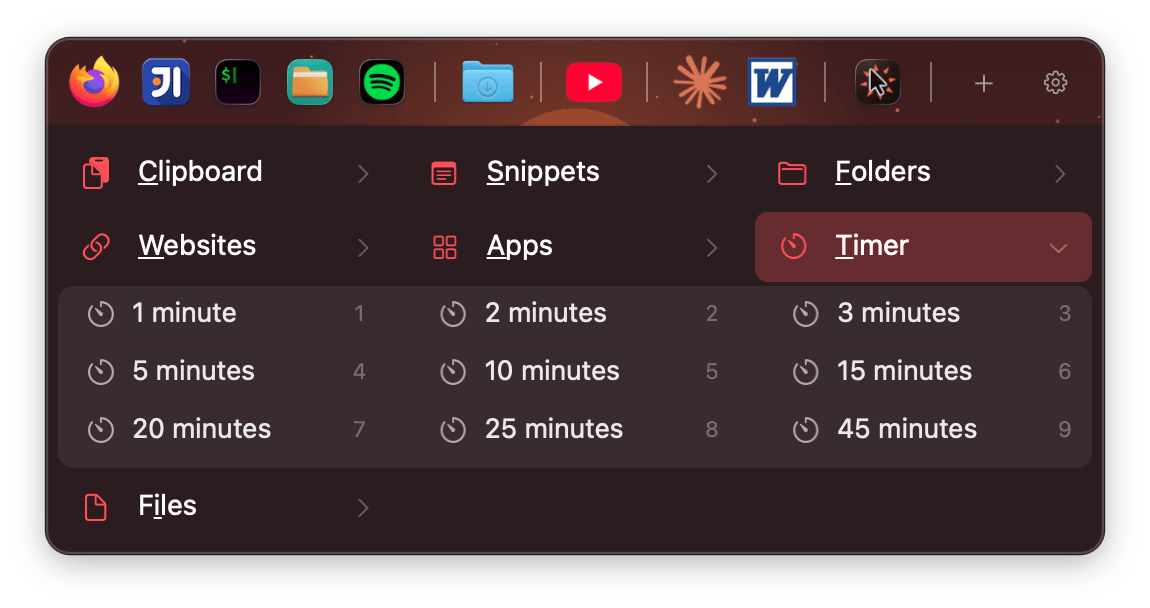
Start a timer from a preset, pause and resume it, and watch the countdown in the menu bar. Add as many of your own presets as you need.


When it finishes, get a notification or play an MP3.

The WhimPop timer with the countdown in the menu bar

Keyboard support

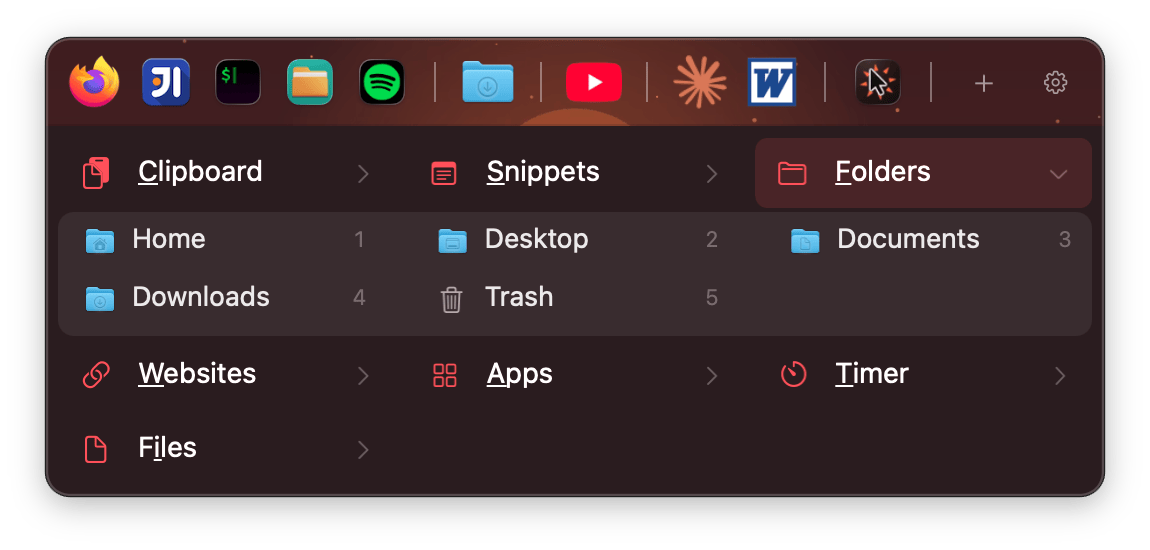
Open the panel with a global shortcut and never touch the mouse. Arrow keys move, Enter activates, Escape closes. Each section has a mnemonic letter, and the digits 1–9 jump straight to items.

The WhimPop panel navigated by keyboard

Make it yours

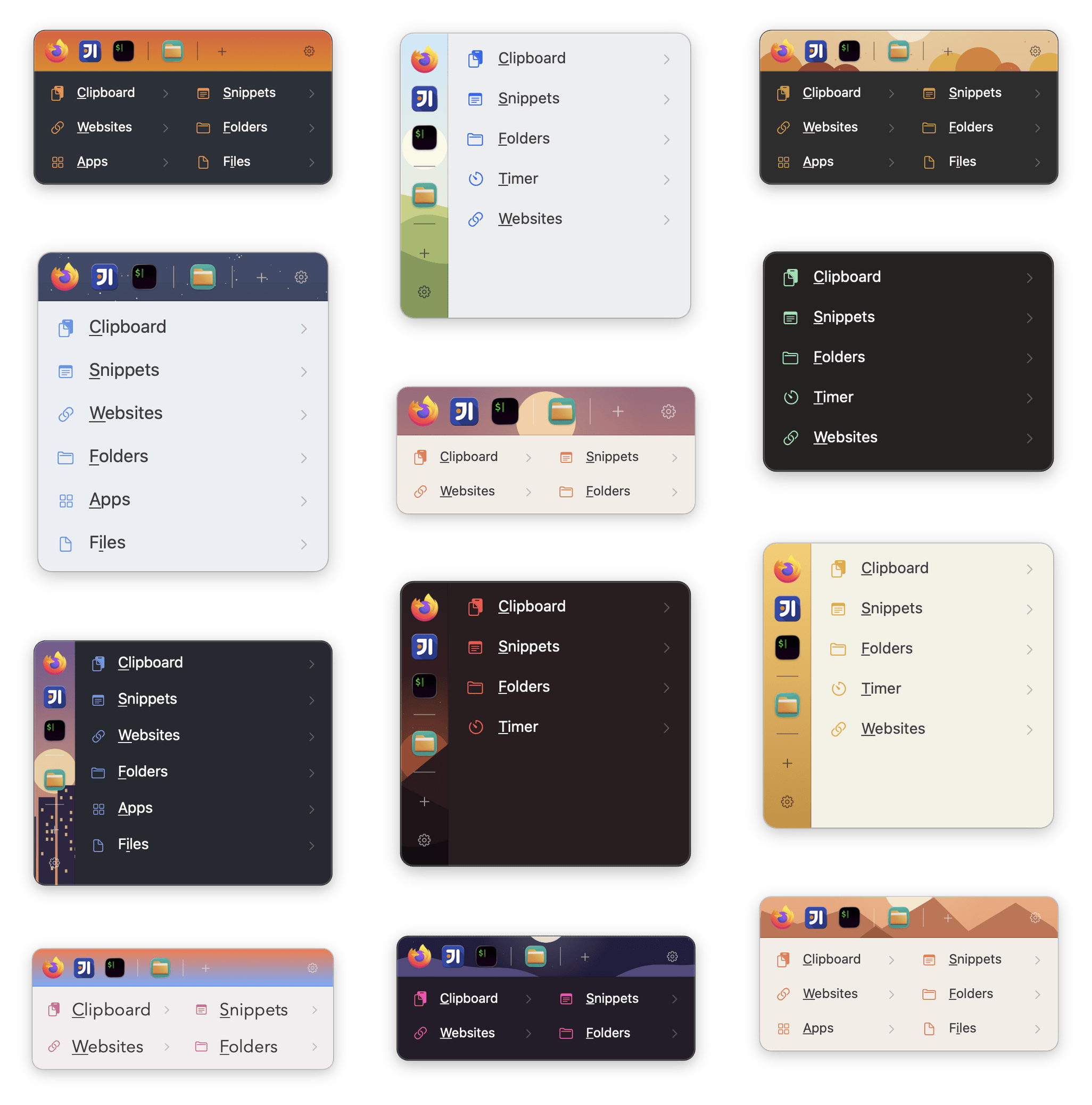
Pick a built-in theme or build your own: fully custom colors and fonts, one to three columns, and a resizable panel.


Show, hide, and reorder sections to match how you work. Put the favorites rail on top or to the left with a gradient or background image.

WhimPop appearance settings

Who is WhimPop for?

If you copy, paste, launch, and jump between the same things all day, WhimPop keeps them one click away.

✍️Copy everything. Lose nothing

You copy quotes, links, and paragraphs all day, and half of them vanish the moment you copy the next thing. WhimPop keeps a history of all of it, lets you save the pieces you reuse as snippets, and pastes without pulling you out of your document. The panel never steals focus.

💻Hands stay on the keyboard

Open the panel with a global shortcut, jump to a section with its mnemonic letter, hit a digit to pick an item. Or press Space and fuzzy-search everything at once with Actions. And when you copy JSON or XML, WhimPop detects it and lets you paste it formatted.

🎨Your last screenshots, still there

Images land in your clipboard history alongside text and file copies. Hover an image entry to preview it, then paste it wherever you're working. The panel never steals focus from your design tool.

🎛️Make the panel yours

The built-in themes are just a starting point. Set your own colors and fonts, lay the panel out in one to three columns, resize it, and give the favorites rail a gradient or artwork background.

👆No extra mouse buttons required

On a MacBook with no mouse in sight, press and hold with two fingers on the trackpad and the panel opens. A two-finger click is a right-click, so it's the same long right-click gesture with the same adjustable hold time. And if you'd rather not leave the keys, the global keyboard shortcut opens the panel too.

⏱️Work in blocks, without another app

Start a preset timer from the panel, watch the countdown in the menu bar, and pause when you're interrupted. When time is up, get a notification or hear your own MP3.

Simple. Fair. Yours forever.

Try it free for 30 days. No account needed.

One-time purchase
$19.99
Pay once. Use forever. No subscription, ever.
  • Full-featured 30-day trial, no account needed
  • Clipboard history for text, images & file copies
  • Built-in themes plus custom colors & fonts
  • All future updates included

Native macOS · Apple Silicon with macOS 12 or later
Questions, answered

Why does WhimPop need the Accessibility permission?

The pointer triggers need it. The press-and-hold (a long right-click, or a two-finger press and hold on a trackpad) and the extra mouse button both use macOS's Accessibility API to notice the hold. If you'd rather not grant the permission, the global keyboard shortcut works without it.

Does my clipboard data leave my Mac?

No. Your clipboard history and everything else you put into WhimPop is stored locally on your Mac. The app's network use is checking for and downloading updates, and fetching favicons for the website shortcuts you create. There are no analytics or tracking in the app.

Is it a subscription?

No. WhimPop is a one-time purchase of $19.99. There is no subscription and there are no recurring charges. Your license activates the app and includes updates.

How does the free trial work?

Download the app and use it. The trial is full-featured for 30 days, with no account needed. If WhimPop isn't for you, there's nothing to cancel.

Can I move my setup to a new Mac?

Yes. The Backup tab in Preferences exports every setting, snippet, website, folder, app list, and favorite to a single file, and imports it back with one click. Only the clipboard history and the license activation stay behind, by design. Activate your license on the new Mac and you're done.

More Useful Apps

WhimFiles

whimfiles.com

A file manager built around filtering. Narrow any folder by type, date, and size at once, preview files by hovering, and browse two folders side by side.

WhimNotes

whimnotes.com

A fast scratchpad for quick notes. One keyboard shortcut opens it from anywhere, you jot the thing down in Markdown, and it saves itself.